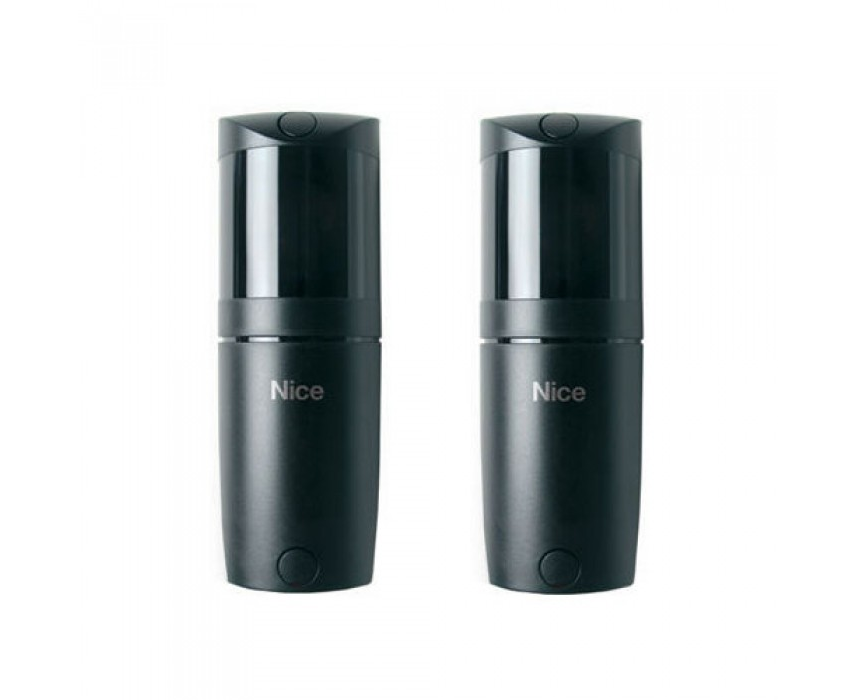
Nice F210B pair of adjustable BlueBus photocells
- CCTV Lens Guide
- Hard Drive Size Guide
Unless selecting a vari-focal camera (with an adjustable lens) It is important to select the correct camera lens option for where the camera is to be positioned. A smaller lens will give you a wider angle but will be "zoomed out more", while a bigger lens will narrow the angle down and "zoom in more". See below to give you some idea on angles of Megapixel HD Cameras:
| Lens in mm | Approx Viewing Angle (degrees) | Ideal Distance (metres) | Typical usage/notes |
|---|---|---|---|
| 2.8 | 106 | <6 | For seeing as much of the immediate area as possible such as above a doorway/low down/garage soffits (edges can appear slightly warped/distorted) - clearly "zoomed out" |
| 3.6/4 | 83-90 | <12 | A great general purpose option giving great coverage still in the corner of a room or higher up on second floor soffits with less distortion - more of a natural "zoom" |
| 6 | 56 | 6-20 | Narrows down the angle and zooms in to look past the immediate area a little to gain more detail - down a driveway for example from higher up |
| 12 | 24 | 20+ | Zooms in significantly more to look at a gate, entrance or adjascent building |
| 16 | 19 | 24+ | As above but more so |
The amount of hard drive space you require is dictated by how many cameras, as well as their resolution, frame rate settings, and whether you have H.265 encoding enabled or not to save space (We advise turning it on to double the capacity shown below with ease).
Finally, you can often make your storage space last a lot longer by enabling motion-detected recording rather than continuous, especially if there are long periods of no activity (to perhaps double or more these figures again).
|
Resolution (Megapixels) |
Days of storage provided by 1TB per camera (continuous - full 25 frames per second) |
Days of storage provided by 1TB per 4 cameras (continuous - full 25 frames per second) |
Days of storage provided by 1TB per 4 cameras (50% motion- 15 frames per second) |
|---|---|---|---|
| 1 | 44 | 11 | 36 |
| 2 | 22 | 5 | 18 |
| 3 | 17 | 4 | 14 |
| 4 | 11 | 3 | 9 |
| 5 | 9 | 2 | 8 |
| 6 | 8 | 2 | 6 |
| 8 (4K) | 5 | 1 | 4 |
| 12 | 4 | 0.5 | 3 |
As a rule of thumb, we recommend 2 Terabytes for a 4 x 4/5MP HD camera setup, as this should give you approx 2 weeks using H.265 @ 20fps and that is on continuous, not motion-detected recording.
(You may only require the full 25 frames per second on certain cameras if things are fast-moving - ie above a till)
You can also use the Hikvision online calculator to work out what works best for you specifically: https://tools.hikvision.com/ca...
(All of our hard drives come fitted and are CCTV-specific from one of the major brands)
Simply perfect installations. Synchronised photocells are horizontally adjustable through 210 degrees and 30 degrees vertically, with Nice BlueBUS technology.
The new 210-degree solution: The beam of the Nice F210 and F210B photocells has a horizontal scope of 210 degree, thereby increasing the safety level of the system and simplifying installation.
* F210B can only be connected to 'BlueBUS' networks.
Numerous models and countless advantages: The new photocells are available with relay output (F210) or with the Nice BlueBUS technology (F210B). With the BlueBus technology, all devices can be easily connected to the control unit with just two wires.
Cutting-edge technology: The problem of interference between the sensors and the automatic synchronisation between several pairs of photocells is solved by the anti-blinding circuit; high range adjustable on 2 levels; synchronising circuit; alignment with proportional LED for easy and safe installation.
Suitable for any architectural environment and easy to install.
Resilient and safe: Polycarbonate casing; FA1 vandal-proof metal shell (optional).
No posts found